Q:我在树莓派命令行模式下使用mplayer播放单首音乐,因为文件名中含有空格,提示不存在该文件,该如何解决?
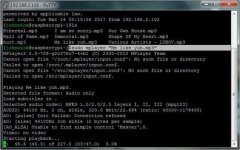
[johnwick@raspberrypi~]$sudo mplayer Me like yuh.mp3
MPlayer2 2.0-728-g2c378c7-4+b1 (C) 2000-2017 MPlayer Team
Cannot open file '/root/.mplayer/input.conf': No such file or directory
Failed to open /root/.mplayer/input.conf.
Cannot open file '/etc/mplayer/input.conf': No such file or directory
Failed to open /etc/mplayer/input.conf.
Playing Me.
Cannot open file 'Me': No such file or directory
Failed to open Me.
Playing like.
Cannot open file 'like': No such file or directory
Failed to open like.
Playing yuh.mp3.
Cannot open file 'yuh.mp3': No such file or directory
Failed to open yuh.mp3.
A:mplayerh播放当前目录下单首歌曲的格式为: mplayer [文件名],显然系统认为 Me like yuh.mp3 是三个独立文件
解决办法:①使用引号(英文输入法下)将文件名全部包含: mplayer "Me like yuh.mp3"
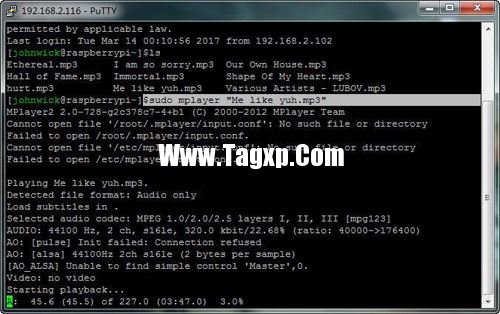
方法②空格前使用连接符号"\" : mplayer Me\ like\ yuh.mp3 ;\”告诉系统后面跟着的字符为原意,不是命令
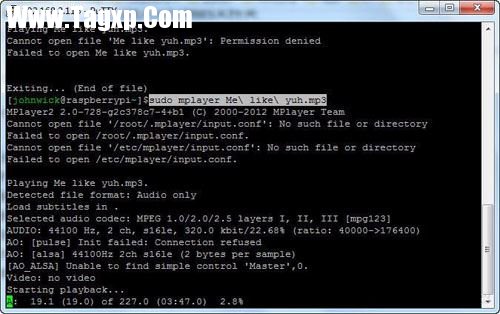
完毕。
 Linux Mint 20.2“Uma”中的新
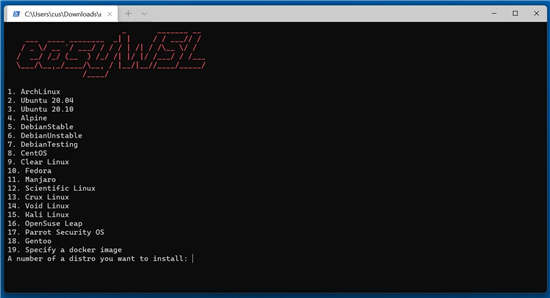 EasyWSL工具将 Linux Docker 映
 适用于 Linux 5.16 的新 Zst
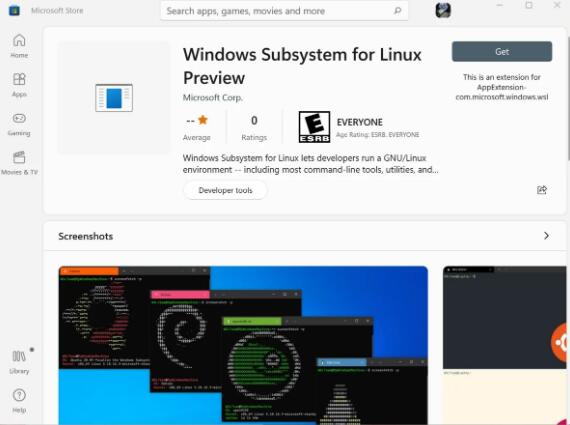 适用于Linux的Windows子系统
 Linux系统xlsatom命令如何使
阅读

阅读

阅读

阅读
阅读

阅读

阅读
阅读
阅读

阅读
 Windows10 Insider Preview Build 20246将自动Linux发
 Wine的最新版本改进了Linux系统上的Window
 WSLg-现在可以直接在Windows10下启动Linux程序
 Windows11 WSL2 的性能与裸机 Ubuntu Linux 相比Linux Mint 20.2“Uma”中的新功能
 您的PC不支持Win11也许是时候尝试Linux了
 WindowsSubsystem for Linux(WSL)2对Windows10版本1
WindowsSubsystem for Linux(WSL)2对Windows10版本1903和1909的支持 根据客户......
阅读
Windows10 Insider Preview Build 20246将自动Linux发
微软已经向开发通道中的Windows Insiders宣布了Windows 10 Insider Prev......
阅读
Wine的最新版本改进了Linux系统上的Window
bull; Wine最近收到了对6.0版的更新。 bull; 此更新改进了使用Wine的......
阅读
WSLg-现在可以直接在Windows10下启动Linux程序
有趣的是,微软正在努力使Linux在Windows10下运行。我们都熟悉W......
阅读
Windows11 WSL2 的性能与裸机 Ubuntu Linux 相比
适用于 Linux 的 Windows 子系统既是一种启示,也是一场革命。现在......
阅读