
我们在使用win10操作系统的时候,一定也会经常去更新自己的系统补丁来维护自己的系统安全。对于KB4541335无法安装的情况小编觉得可以检查下网络然后重装。详情请见下文~
方法一:
“干净启动”,排除第三方软体的影响:
1.停止非核心的程序运作(包括第三方杀毒、优化软体)
2.情况允许的话,卸载设备中的第三方杀毒、管家、优化软件
3.同时按【Windows 徽标键+R】,输入【msconfig】,按回车(Enter)
Dism /Online /Cleanup-Image /CheckHealth
Dism /Online /Cleanup-Image /ScanHealth
Dism /Online /Cleanup-Image /RestoreHealth
sfc /scannow
3.重启电脑
4.如果出现”有一些文件无法修复“的回报,重复步骤1-3几次
方法三:
1.同时按【Win+X】键,点选【Windows PowerShell(管理员)】
2.拷贝下方的程序码到刚打开的PowerShell里面,按回车
3.忽略红字错误,重启电脑
4.运行Windows Update
$arch = Get-WMIObject -Class Win32_Processor -ComputerName LocalHost | Select-Object AddressWidth
Write-Host "1. Stopping Windows Update Services..."
Stop-Service -Name BITS
Stop-Service -Name wuauserv
Stop-Service -Name appidsvc
Stop-Service -Name cryptsvc
Write-Host "2. Remove QMGR Data file..."
Remove-Item "$env:allusersprofile\Application Data\Microsoft\Network\Downloader\qmgr*.dat" -ErrorAction SilentlyContinue
Write-Host "3. Renaming the Software Distribution and CatRoot Folder..."
Rename-Item $env:systemroot\SoftwareDistribution SoftwareDistribution.bak -ErrorAction SilentlyContinue
Rename-Item $env:systemroot\System32\Catroot2 catroot2.bak -ErrorAction SilentlyContinue
Write-Host "4. Removing old Windows Update log..."
Remove-Item $env:systemroot\WindowsUpdate.log -ErrorAction SilentlyContinue
Write-Host "5. Resetting the Windows Update Services to defualt settings..."
"sc.exe sdset bits D:(A;;CCLCSWRPWPDTLOCRRC;;;SY)(A;;CCDCLCSWRPWPDTLOCRSDRCWDWO;;;BA)(A;;CCLCSWLOCRRC;;;AU)(A;;CCLCSWRPWPDTLOCRRC;;;PU)"
"sc.exe sdset wuauserv D:(A;;CCLCSWRPWPDTLOCRRC;;;SY)(A;;CCDCLCSWRPWPDTLOCRSDRCWDWO;;;BA)(A;;CCLCSWLOCRRC;;;AU)(A;;CCLCSWRPWPDTLOCRRC;;;PU)"
Set-Location $env:systemroot\system32
Write-Host "6. Registering some DLLs..."
regsvr32.exe /s atl.dll
regsvr32.exe /s urlmon.dll
regsvr32.exe /s mshtml.dll
regsvr32.exe /s shdocvw.dll
regsvr32.exe /s browseui.dll
regsvr32.exe /s jscript.dll
regsvr32.exe /s vbscript.dll
regsvr32.exe /s scrrun.dll
regsvr32.exe /s msxml.dll
regsvr32.exe /s msxml3.dll
regsvr32.exe /s msxml6.dll
regsvr32.exe /s actxprxy.dll
regsvr32.exe /s softpub.dll
regsvr32.exe /s wintrust.dll
regsvr32.exe /s dssenh.dll
regsvr32.exe /s rsaenh.dll
regsvr32.exe /s gpkcsp.dll
regsvr32.exe /s sccbase.dll
regsvr32.exe /s slbcsp.dll
regsvr32.exe /s cryptdlg.dll
regsvr32.exe /s oleaut32.dll
regsvr32.exe /s ole32.dll
regsvr32.exe /s shell32.dll
regsvr32.exe /s initpki.dll
regsvr32.exe /s wuapi.dll
regsvr32.exe /s wuaueng.dll
regsvr32.exe /s wuaueng1.dll
regsvr32.exe /s wucltui.dll
regsvr32.exe /s wups.dll
regsvr32.exe /s wups2.dll
regsvr32.exe /s wuweb.dll
regsvr32.exe /s qmgr.dll
regsvr32.exe /s qmgrprxy.dll
regsvr32.exe /s wucltux.dll
regsvr32.exe /s muweb.dll
regsvr32.exe /s wuwebv.dll
Write-Host "7) Removing WSUS client settings..."
REG DELETE "HKLM\SOFTWARE\Microsoft\Windows\CurrentVersion\WindowsUpdate" /v AccountDomainSid /f
REG DELETE "HKLM\SOFTWARE\Microsoft\Windows\CurrentVersion\WindowsUpdate" /v PingID /f
REG DELETE "HKLM\SOFTWARE\Microsoft\Windows\CurrentVersion\WindowsUpdate" /v SusClientId /f
Write-Host "8) Resetting the WinSock..."
netsh winsock reset
netsh winhttp reset proxy
Write-Host "9) Delete all BITS jobs..."
Get-BitsTransfer | Remove-BitsTransfer
Write-Host "10) Attempting to install the Windows Update Agent..."
if($arch -eq 64){
wusa Windows8-RT-KB2937636-x64 /quiet
}
else{
wusa Windows8-RT-KB2937636-x86 /quiet
}
Write-Host "11) Starting Windows Update Services..."
Start-Service -Name BITS
Start-Service -Name wuauserv
Start-Service -Name appidsvc
Start-Service -Name cryptsvc
Write-Host "12) Forcing discovery..."
wuauclt /resetauthorization /detectnow
Write-Host "Process complete. Please reboot your computer."
以上就是小编给各位小伙伴带来的KB4541335无法安装怎么办的所有内容,希望你们会喜欢。更多相关教程请收藏电脑技术网 Tagxp.com~ 笔记本电脑换硬盘步骤详解有哪些注意事
笔记本电脑成为现代生活中不可或缺的一部分,随着技术的不断......
 R9285显卡详细评测介绍
AMD R9 285是一款非常不错的产品,不管是游戏还是其他的使用都非......
 如何进行网络安全评估:网络安全评估的
网络安全评估是保障信息资产、防止数据泄露的重要手段。随着......
 数据恢复基础知识:我该如何恢复误删的
电脑文件丢失的情况常常发生,这可能源于误删、格式化或者系......
 主板BIOS如何升级:为什么要定期升级BI
BIOS(基本输入输出系统)是计算机主板中至关重要的部分,它负......
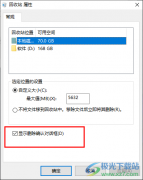
Win10是很多小伙伴都在使用的一款电脑操作系统,在该系统中,我们可以给电脑安装各种软件来拓展电脑的功能,还可以对电脑进行各种设置。在使用Win10系统的过程中,有的小伙伴为了避免自...
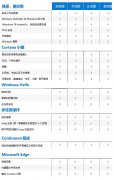
我们在使用win10系统的时候不禁想过,win10系统那么多的版本,有没有哪个版本是最好用的呢。小编觉得,诸多版本不存在哪个最好用这种说法。这些版本在功能上有差异,但是性能上是没有什...

在使用最新版的系统更新以后,有很多的用户们发现自己的系统无法正常的连接网络进行使用了,那么这个问题又需要我们怎么去解决呢,快来看看详细的解决教程吧~...
Win10系统BAD SYSTEM CONFIG INFO蓝屏提示一般情况下都是系统的问题,具体的原因会很多,遇到了先断电重启一下试试,不行的话重装最快,下面来看看详细的教程吧。...

最近有用户们在使用win10系统的时候,遇到了一个问题,win10系统在待机状态时出现蓝屏,并提示代码machine,这个是怎么回事,要怎么去解决呢,快来看看详细的教程吧~...
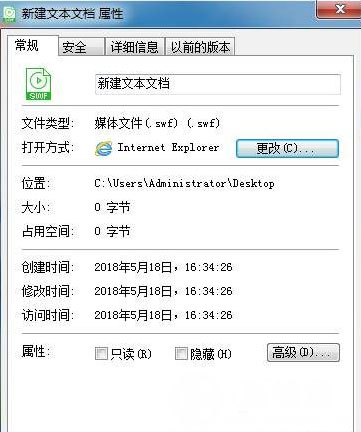
一般操作Windows系统中Shockwave Flash Object文件类型是SWF,SWF文件是FLASH无法编辑的文件格式。但近日却有Windows10系统用户来抱怨,在使用电脑时遇到一些棘手问题,对于这个问题该如何才能打开S...
相信很多朋友在以前都玩过微软的虚拟机(VPC),在Windows 7中微软将其作为系统的内置文件即虚拟磁盘文件,该虚拟磁盘文件使用的是VHD(微软虚拟机VPC的文件格式)文件,也就是说它可以直...
有的朋友发现自己win11明明已经联网,但是打不开网页,不知道怎么解决,其实这可能是网页、浏览器或者代理的问题导致,我们只需要修改他们即可解决。...
有的小伙伴发现安装升级了win101909后电脑不能上网了,对于这种问题小编觉得可以尝试一下故障排除法,首先看看是不是自己网线的问题或者是自己的网络不是很好,在检查下电脑的的电源设置...
我们的电脑在升级了win101903之后,接踵而来的就是微软更新的新系统:win101909版本。那么许多小伙伴想必最想知道的就是哪个更好用一些之类的问题。那么对于这个问题小编特意准备了一份介绍...
我们在使用微软操作系统电脑的时候,相信很多小伙伴都有想过微软这么多版本的操作系统都有什么区别,到底哪个更好用一些。那么对于win8和win10系统哪个好用这个问题,小编觉得这两个系统...
win11怎么进入bios呢?bios是一组固化到计算机内主板上一个ROM芯片上的程序,它保存着计算机最重要的基本输入输出的程序、开机后自检程序和系统自启动程序.接下来本文为大家带来win11进入bios的...
很多小伙伴在使用Win10系统的过程中经常会遇到各种各样的问题,例如在安全模式下无法启动系统时,很多小伙伴都不知道该怎么解决该问题。其实很简单,我们只需要进入系统配置页面,然后...
在使用电脑的时候小伙伴们比较头疼的就是电脑总是自动关机的问题,一直这样连检查的机会也没有,那么该怎么办呢?下面就为你们带来了解决的方法。...
win11怎么添加输入法?有不少小伙伴已经迫不及待地下载安装win11进行体验了,但是发现win11只有英文输入法.那么win11怎么添加输入法呢?考虑到还有些用户不清楚,本文就给大家带来了win11添加输入法...













 鄂公网安备42118102000349